Role of Apps Script
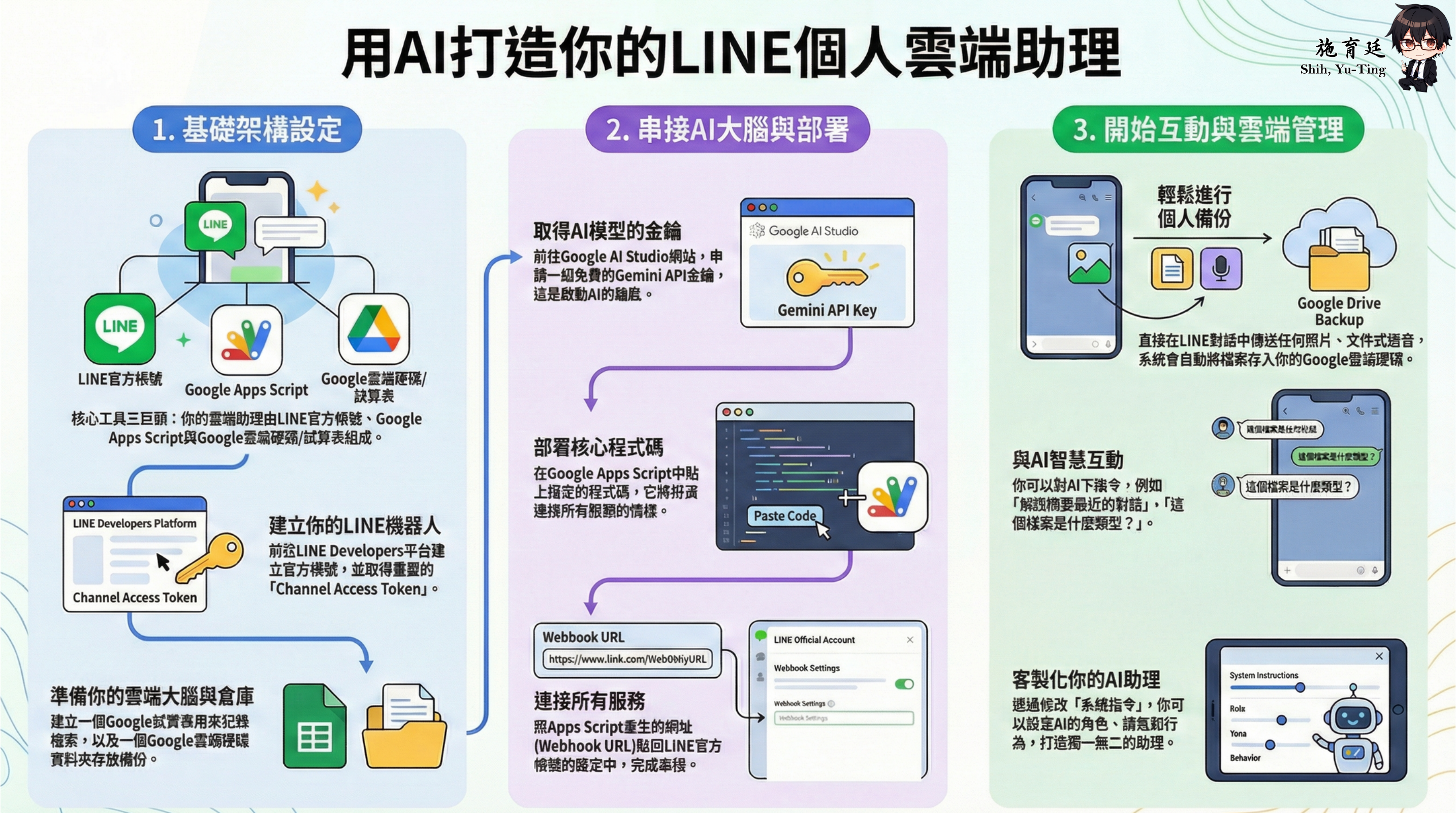
The materials frame the system as a multi-module assistant: LINE handles message intake and delivery, Gemini handles interpretation and generation, Sheets provides memory, Drive stores files, and Apps Script coordinates everything.
How routing works
When LINE sends an event, the backend typically receives the payload, identifies the event type, reads user state, selects the target workflow, invokes the required services, records the result, and then replies or pushes a follow-up message.
Worksheets are part of the data architecture
Google Sheets is not just an attachment. In this course, it becomes a lightweight data layer: API keys, file logs, notes, state flags, and workflow traces are all structured there.
Prompts and intent extraction
The course emphasizes role-based prompting rather than generic text generation. A useful backend prompt should define tasks, constraints, required parameters, clarification behavior, and when structured output is required.
Logs, admin menus, and maintenance
The original materials also discuss admin-side menu control inside Google Sheets. That turns the bot into a maintainable service, which is why this site treats engineering maintenance as part of the learning outcome.