Bilingual Course Site

LINE Bot, Google Apps Script, and Google Sheets Teaching Website

This bilingual site turns Yu-Ting Shih's LINE Bot materials into a complete instructional website. It covers LINE official accounts, Webhooks, Google Apps Script, Google Sheets, Google Drive, and Gemini-enabled workflows for classroom teaching, workshops, and self-paced study.

LINE Messaging API Google Apps Script Google Sheets Google Drive Gemini
What this site teaches

The goal is not to teach isolated clicks. The site explains how setup, data flow, conversational routing, file management, and AI extensions work together as a teachable and maintainable system.

01

Build the minimum system

Set up a LINE channel, Google Sheet, Google Drive, and Apps Script web app.

02

Read the backend logic

Understand events, routers, prompts, worksheets, and logging instead of treating the bot as a black box.

03

Create useful workflows

Implement file upload, summarization, Q and A, report generation, and information lookup.

04

Extend toward projects

Move from a classroom bot to research, administration, or product-oriented agent workflows.

Flow aligned with the original source document

The page order below follows the original Part 1 structure of the teaching document rather than a newly invented layout.

Visual explanations matter

This site preserves diagrams and screenshots from the original materials so learners can connect setup steps with actual interfaces and data structures.

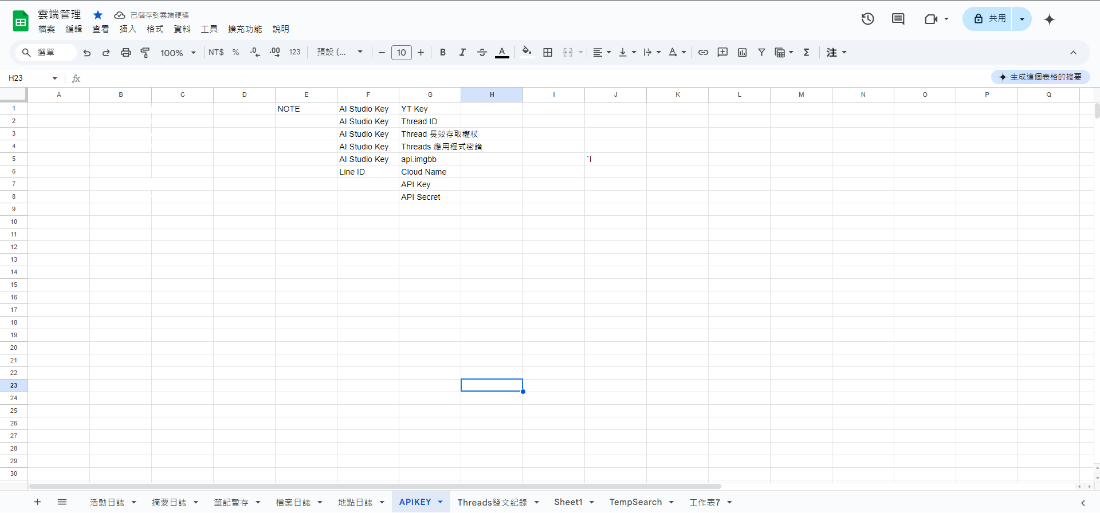
API key worksheet

A worksheet can function as a memory layer, key registry, and workflow tracker.

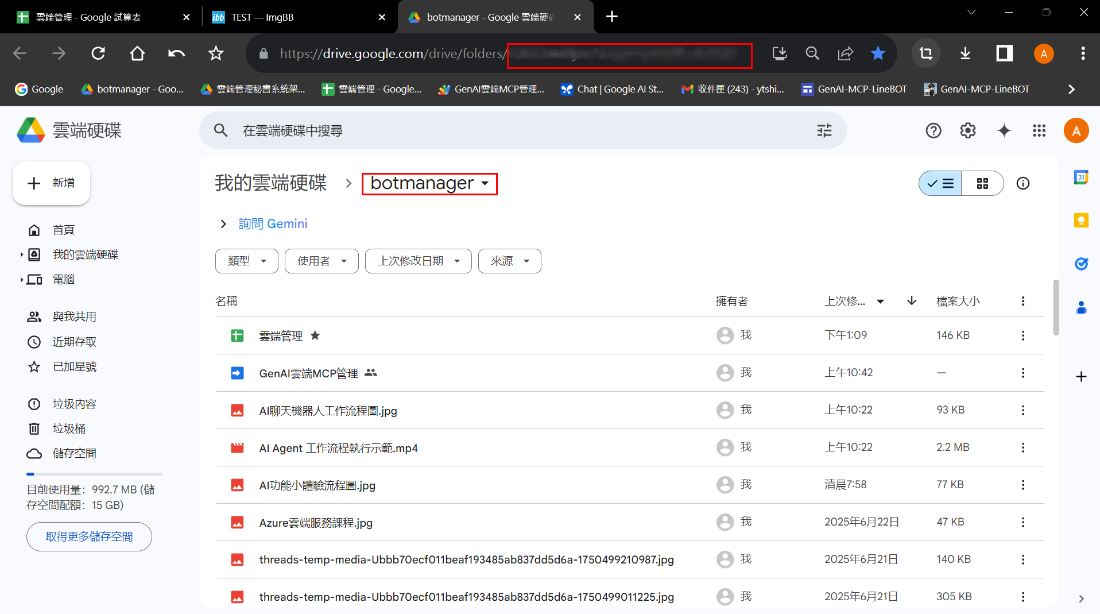
Google Drive folder

Google Drive serves as the file vault and output space for generated reports.

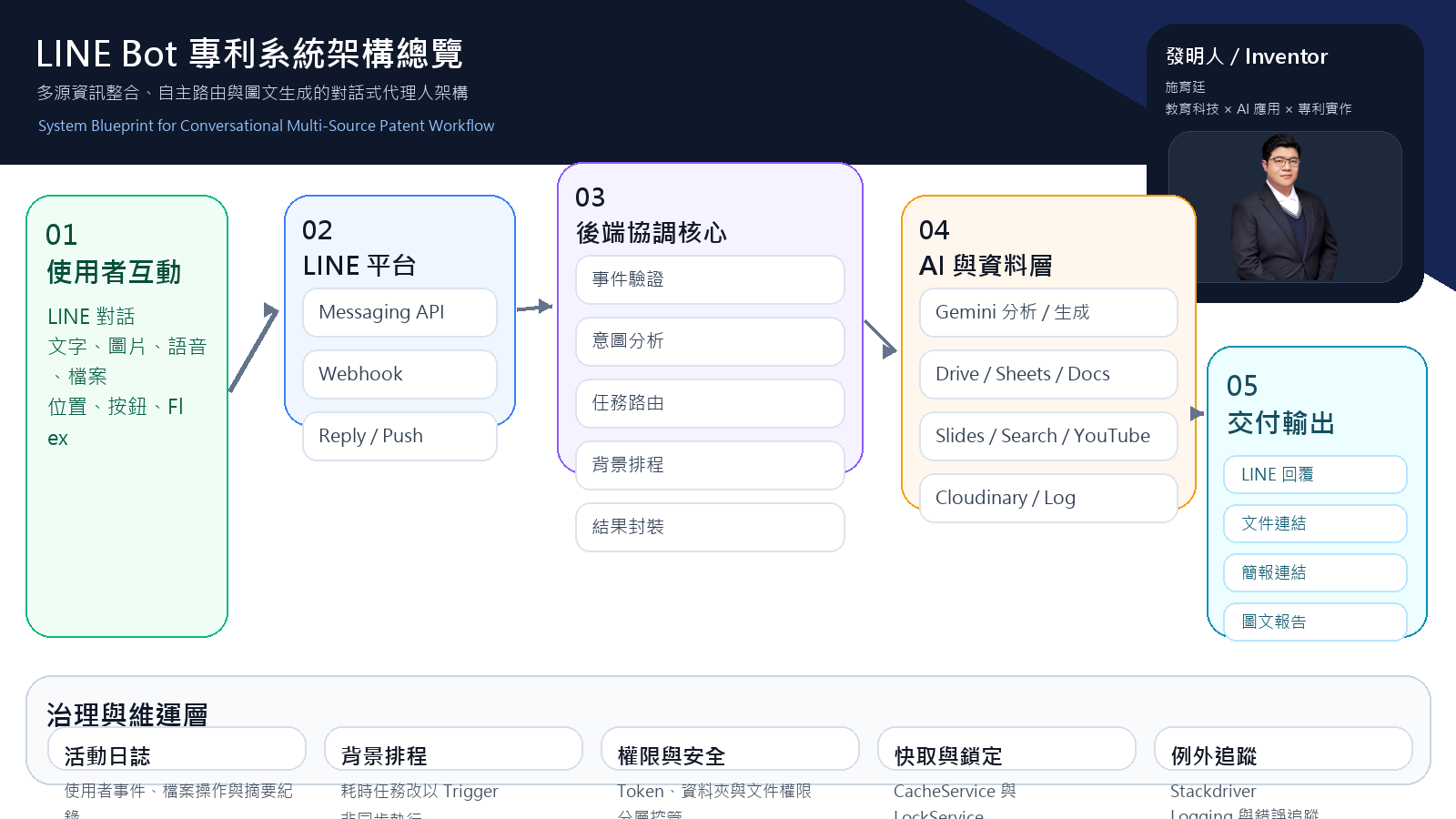
Patent-oriented diagrams are included when needed

The site selectively incorporates figures from the LINEBOT_專利 folder to show how a classroom bot can evolve into a multi-source conversational system with routing, data layers, and structured outputs.

Patent system overview