User interface
Codex CLI, Codex App, SDK, Claude Code, and other existing work surfaces.
Verified Bilingual Learning Guide
OpenCodex is a local proxy layer that lets Codex, Claude Code, and related clients reach multiple providers through one port. This guide uses upstream documentation for specifications and real dashboard screenshots for interface evidence, moving from setup to auditable verification.
PS> npm install -g @bitkyc08/opencodex
PS> ocx init
PS> ocx start
PS> ocx gui

proxy     online
endpoint  http://localhost:10100
workflow inspect → route → verify01 · Concept
AI development clients are often tied to one model family or API format. OpenCodex accepts Codex Responses API or Claude Messages API traffic and translates streaming, tool calls, reasoning markers, and images for the selected provider. It controls where a request goes; it does not replace task design or human validation.
Codex CLI, Codex App, SDK, Claude Code, and other existing work surfaces.
Protocol translation, model catalog, provider routing, account pool, logs, and usage.
Anthropic, Google, xAI, Kimi, Ollama, OpenRouter, Azure, and compatible custom endpoints.
Use provider/model for explicit routing. A bare model name uses the default provider or name-based matching.
Existing sessions remain on their account; new sessions can select an eligible healthy account based on quota state.
Use Logs, Usage, and actual output tests. An “Online” badge alone is not evidence of task completion.
02 · Quickstart
The current upstream version is installed from npm and requires Node.js 18 or later on Windows x64. The package bundles the Bun runtime. If npm blocks lifecycle scripts, follow the current README instead of reusing legacy Go, Docker, or port 8080 instructions.
Use a user-owned Node/npm environment with a writable global prefix.
npm install -g @bitkyc08/opencodexocx init injects the Codex provider and offers autostart options. ocx stop restores native Codex configuration.
ocx init
ocx start
ocx guiA catalog response only proves that the proxy answered. Run one small task and verify Logs as well.
Invoke-RestMethod http://localhost:10100/v1/modelsChoose a built-in provider or a custom OpenAI-compatible endpoint. Enable private-network access only for a known local or LAN service.
03 · Interface Evidence
These local screenshots were captured on July 28, 2026 and checked for exposed API keys, tokens, or cookies. The interface may change with upstream releases. Click an image to enlarge it.
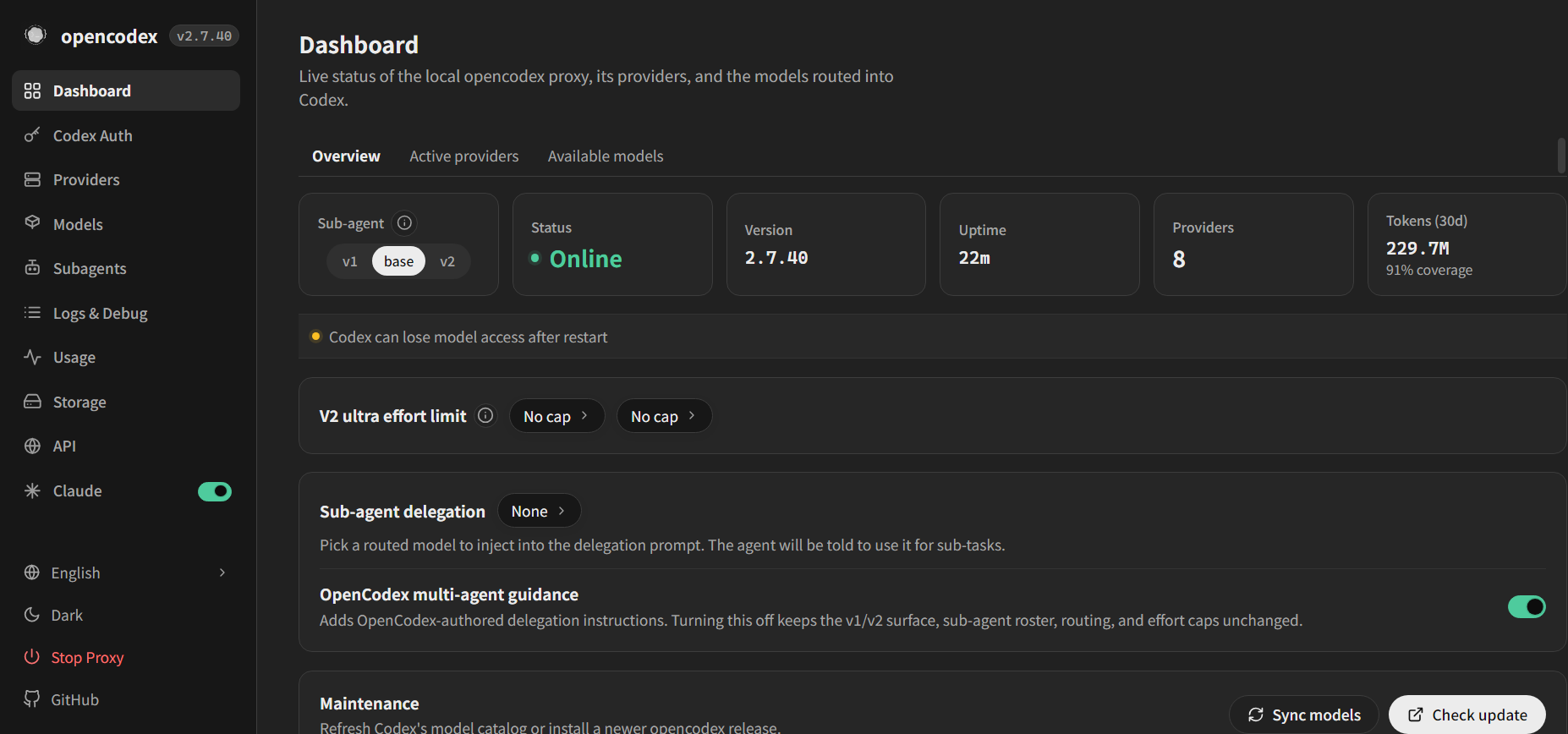
Confirm proxy status, version, provider count, and model synchronization.
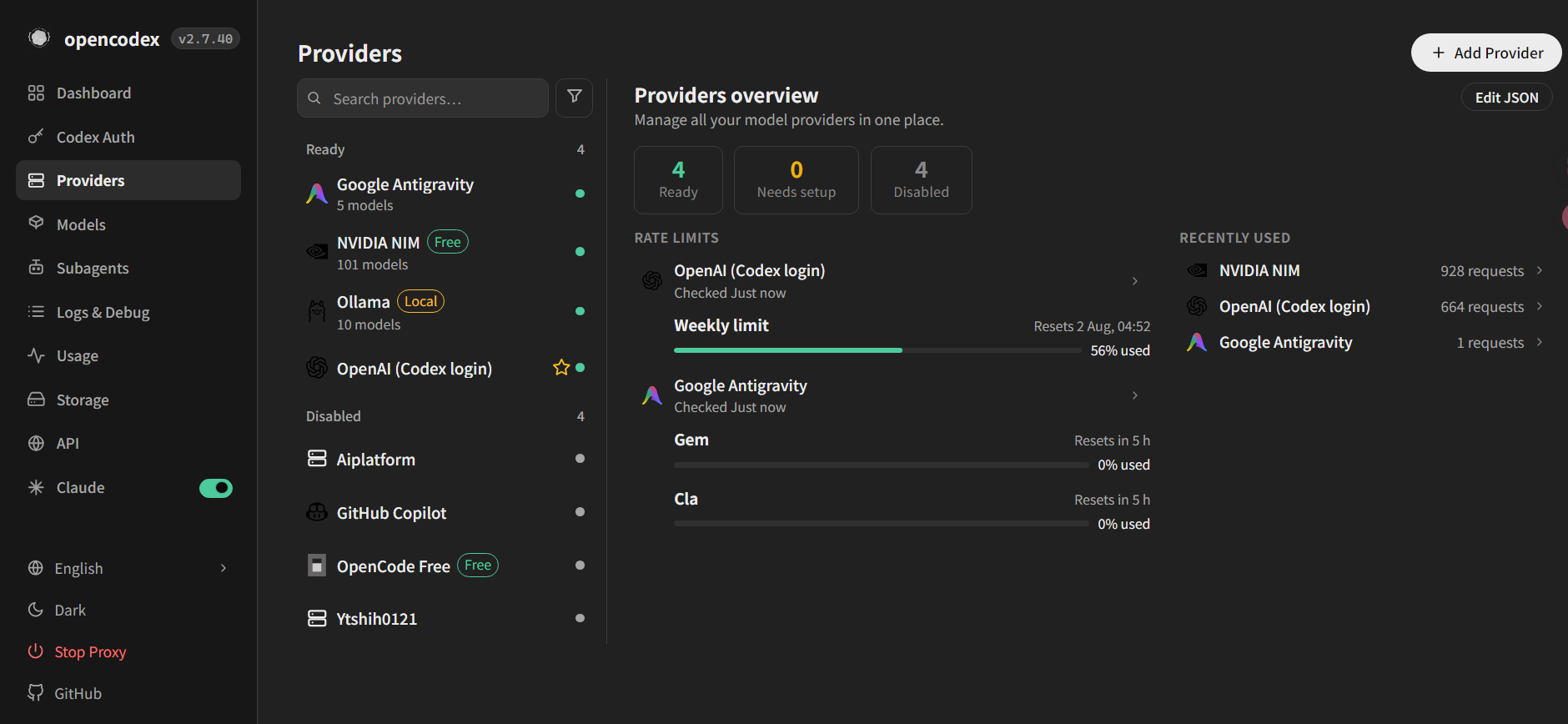
Manage adapters, base URLs, authentication, discovered models, and enablement.
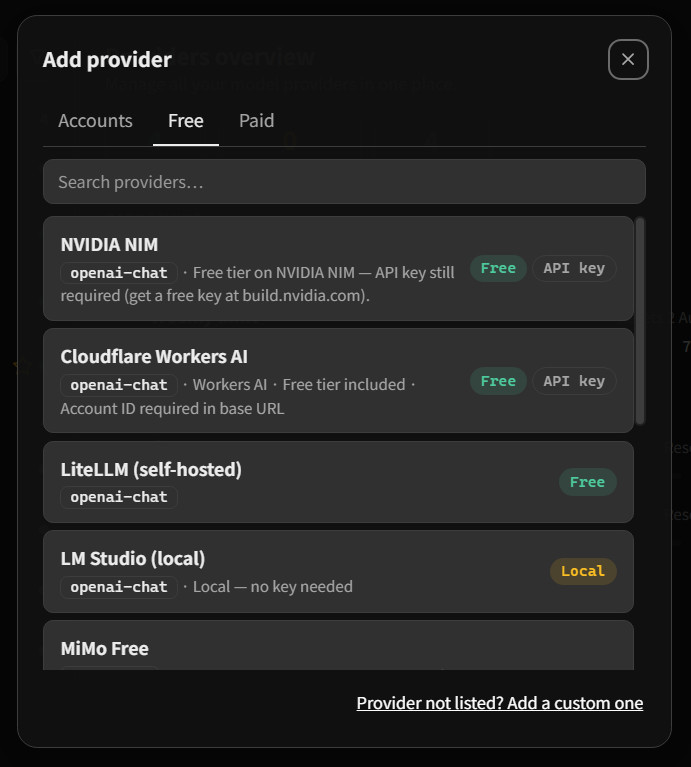
Choose from Accounts, Free, and Paid categories, or create a custom endpoint.
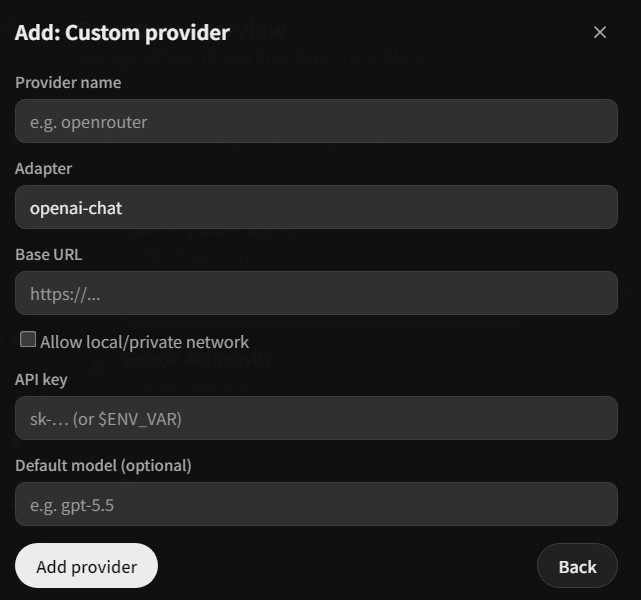
Enter a name, adapter, base URL, and securely stored credential.
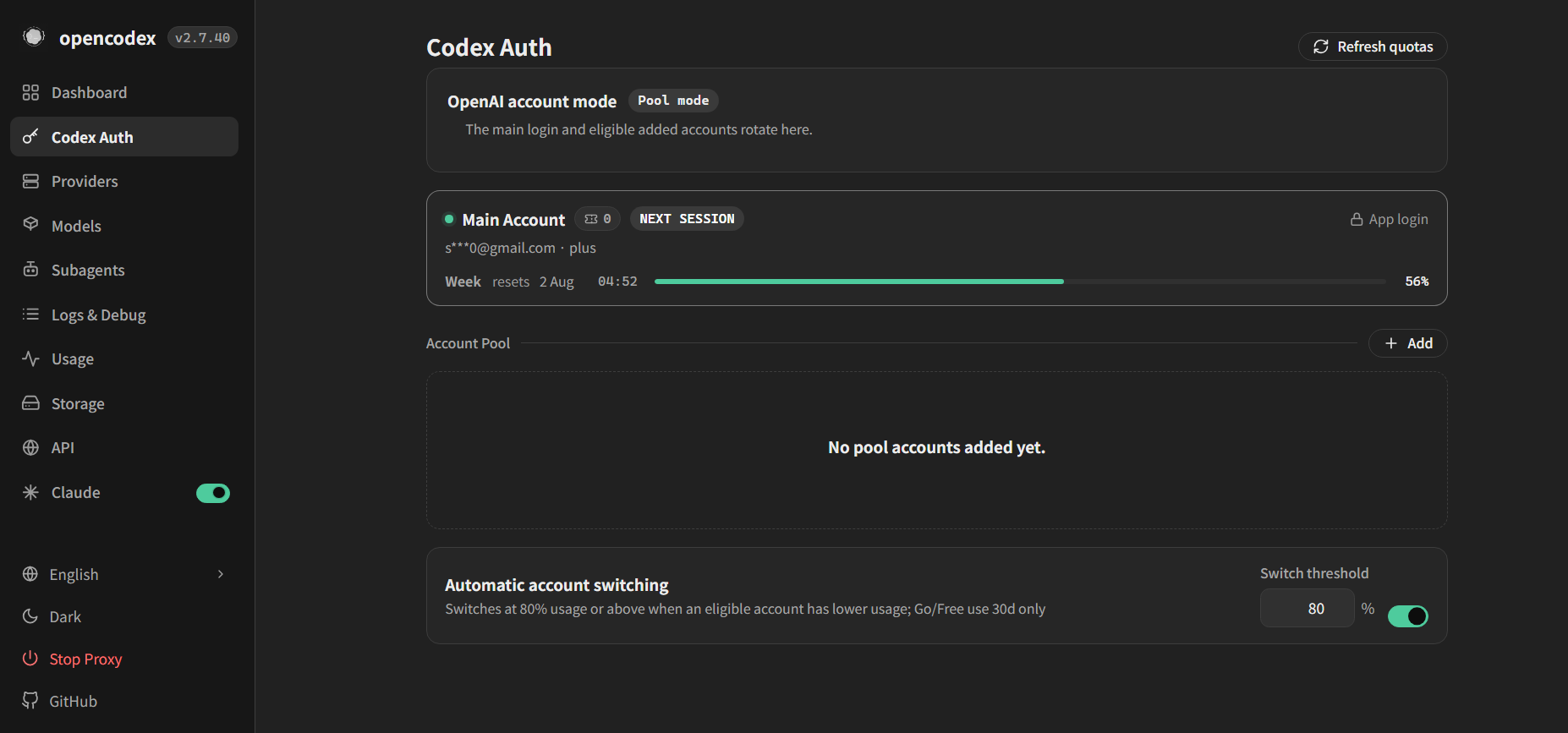
Review account health, session affinity, and quota windows. The email is masked.
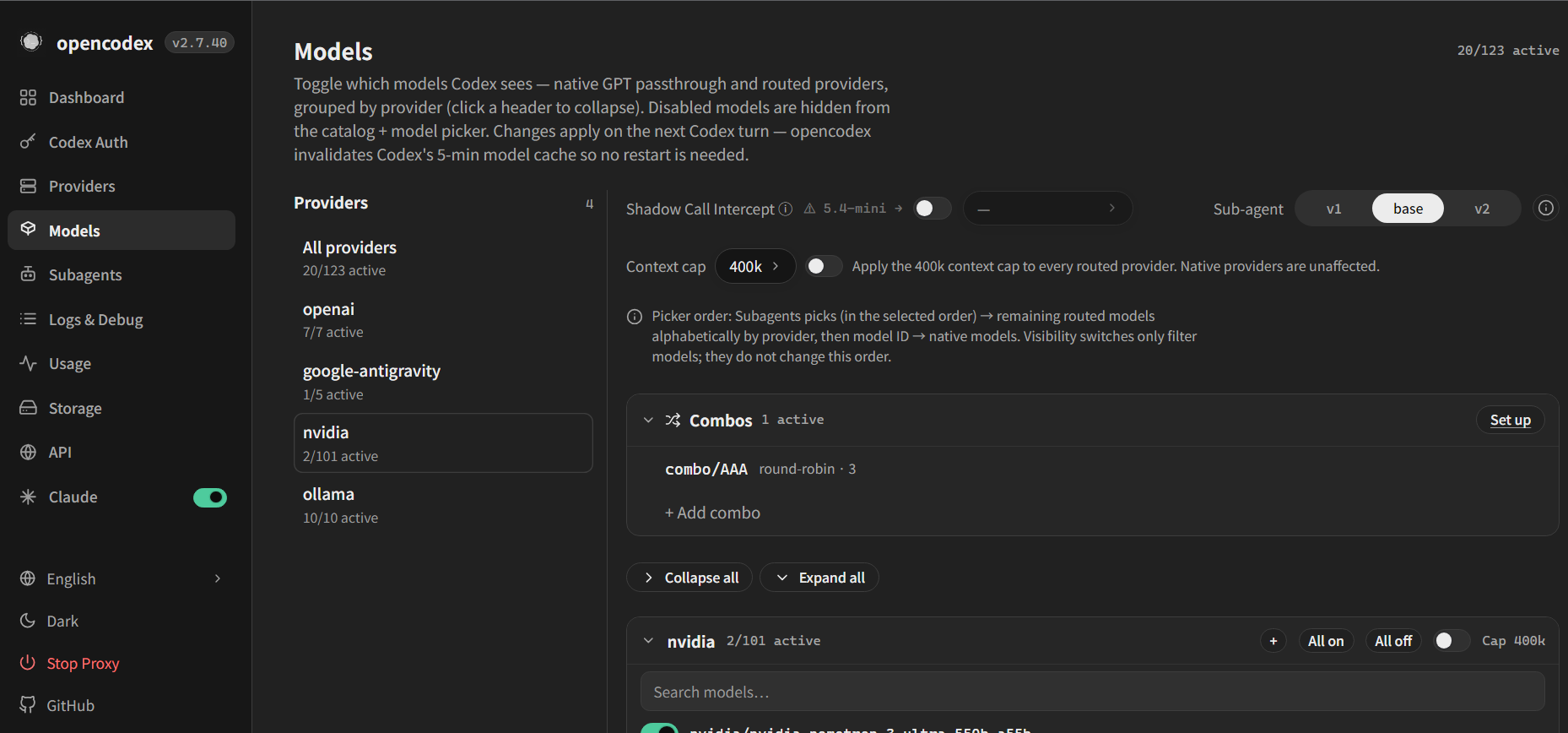
Check public IDs, reasoning levels, context windows, tool support, and vision support.
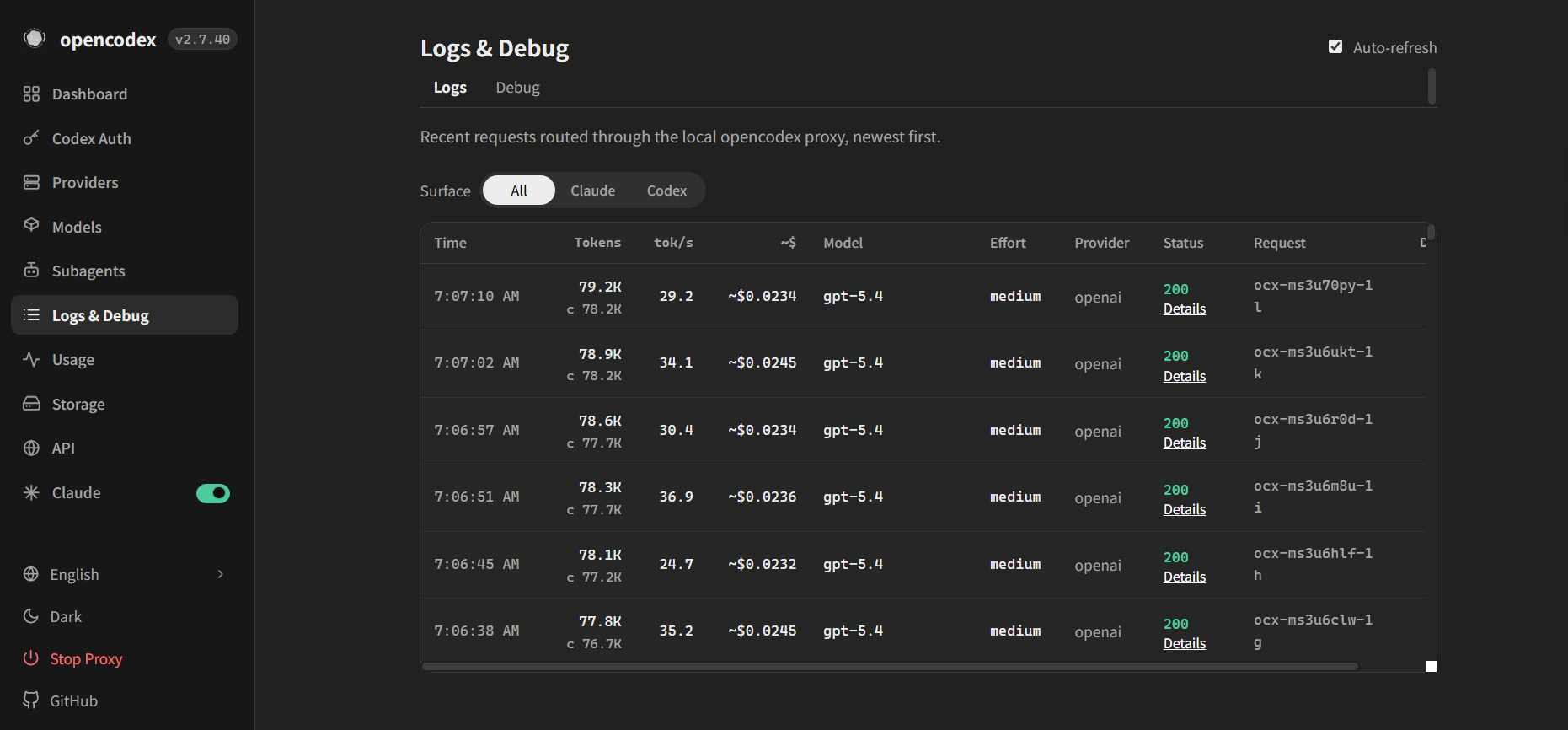
Verify request ID, actual model, HTTP status, token counts, and latency.
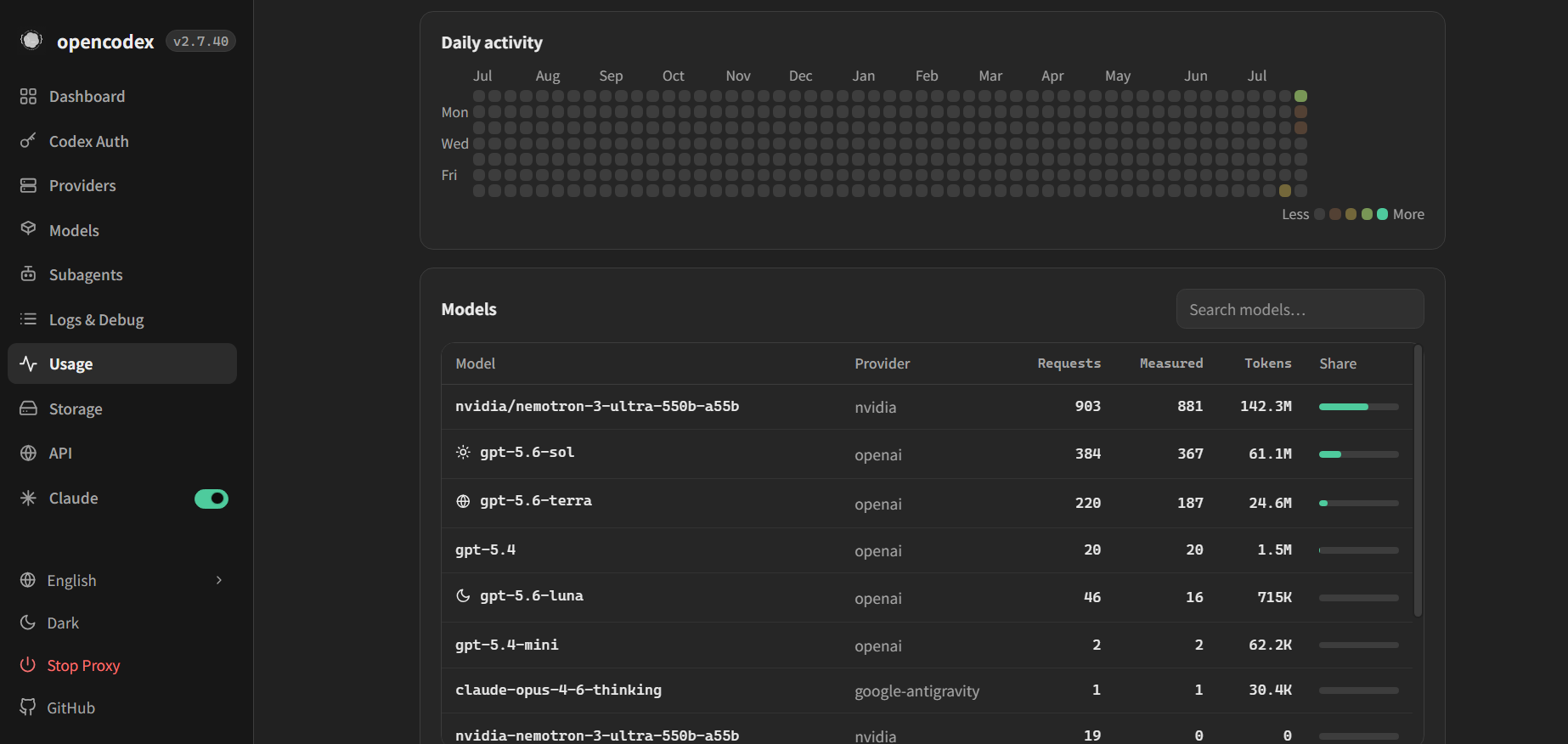
Monitor success rates, latency, runaway loops, and excessive prompt size.
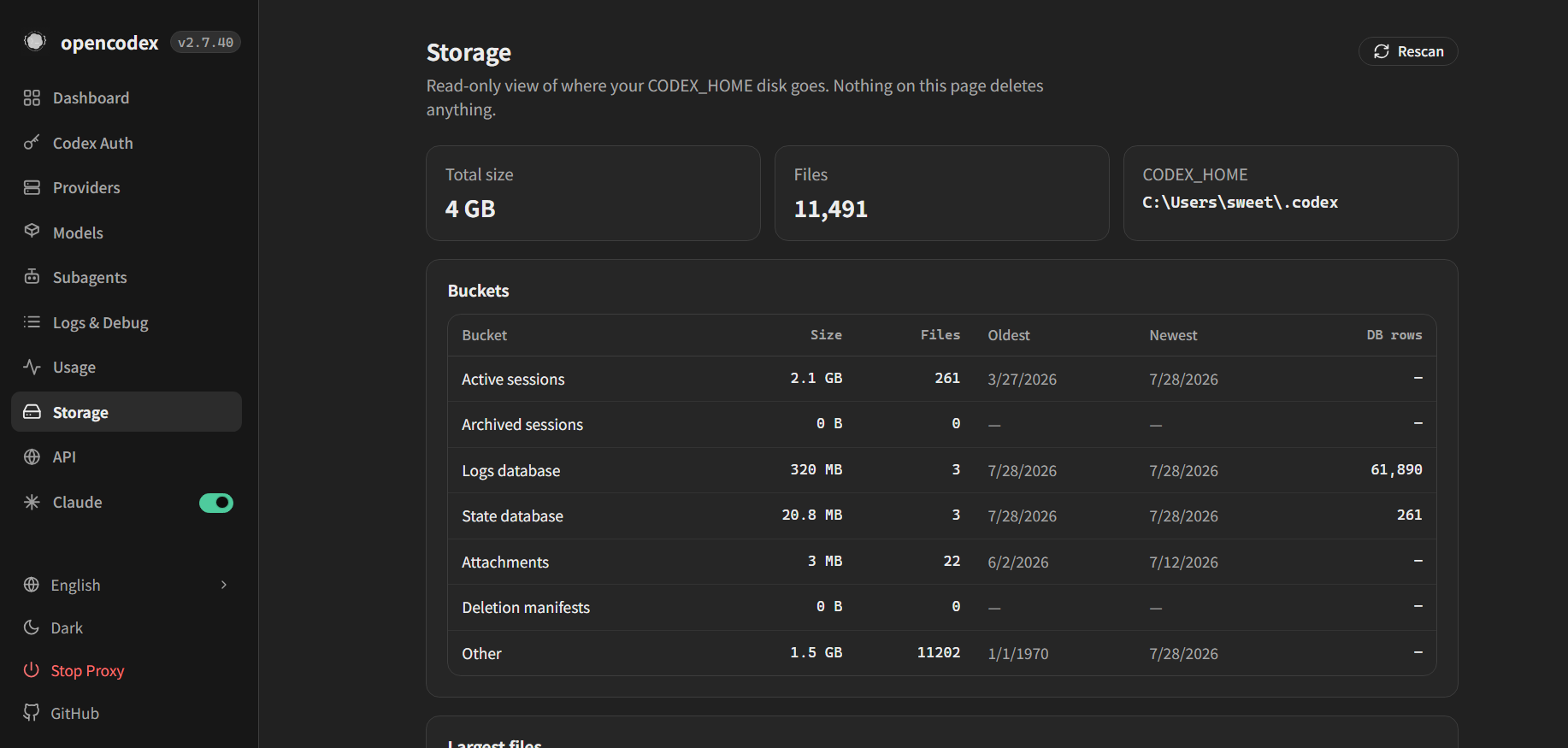
Define retention, backup, redaction, download, and deletion procedures.
04 · Routing
The goal is not to connect the largest possible catalog. Match task requirements, data risk, model capability, and validation cost. Use explicit provider/model selectors for important work, then confirm the route in Logs.
codex -m "anthropic/claude-opus-5" "Explain this stack trace"
codex -m "google/gemini-3-pro" "Write unit tests for auth.ts"
codex -m "ollama/llama3" "Refactor this function"Useful for demanding tasks, but review cost, data policies, region availability, and terms of service.
Inference can stay local, but tool support, context length, hardware use, and output quality still require testing.
Appropriate for self-hosted or organizational services. Never hard-code credentials in course materials or repositories.
05 · Learning Workflow
The course does not end when the proxy starts. Learners observe, form a routing hypothesis, execute, inspect evidence, and reflect. This builds transferable troubleshooting skills when the interface or upstream version changes.
Define acceptance criteria for a low-risk refactoring task. Compare a cloud model and a local model on correctness, tool calls, latency, and token use rather than writing style alone.
Use a nonexistent model name or disable a provider. Observe /v1/models, Logs, and the error code, then turn the diagnosis into a reusable checklist.
ocx stop06 · Sources
The supplied NotebookLM notebook combines six sources. This site adds local interface screenshots captured on July 28, 2026. Technical specifications come primarily from the official documentation and GitHub repository; media and videos provide supplementary learning context.
07 · FAQ
When instructions disagree, verify the upstream version first, then compare the dashboard, model catalog, and request logs.
No. It is an independent community project and is not endorsed by OpenAI, Anthropic, or other providers. Review each provider's terms before connecting an account.
The current official site and GitHub README use localhost:10100. OpenCodex changes quickly, so confirm current upstream documentation instead of copying older tutorials.
No. It only shows that the proxy is reachable. Verify the actual provider, model, status code, output artifacts, and task-specific tests.
No. Confirm that the actual route is local and that the workflow does not call cloud search, a sidecar, or another external tool. Use Logs and network configuration as evidence.